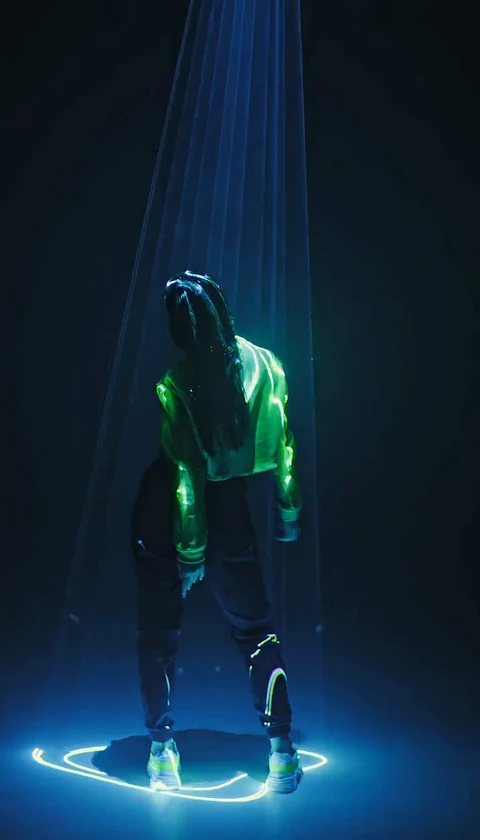
AI Tecktonik Video Cost: Credits, Packs and How to Plan
How AI Tecktonik video cost actually works: 30 credits per standard video, packs that lower the cost per clip, refunds on failed jobs, and how to plan your spend.
Tecktonik Dance AI editorial team · Updated October 8, 2026
The cost of a Tecktonik Dance AI video is deliberately simple to state: one standard video costs 30 credits. What takes a little thought is how those credits get into your account and how to spend them without waste. This guide explains the credit model honestly, then covers the planning decisions that decide whether you get one good clip for your effort or five mediocre ones. AI Tecktonik video cost is not about the headline number — it is about how many attempts a clip you actually like takes.
If you want the workflow first, the step-by-step guide shows where credits are spent and where they are not.
The credit model in plain terms
Credits are the unit the studio counts in, and they are bought in packs listed on the pricing page. Three facts cover the whole model:
- One standard video costs 30 credits. That number is fixed per video and never changes with the scene you pick.
- Larger packs lower the cost per clip. Because a bigger pack divides the same kind of credit across more videos, the effective cost of each clip falls as the pack grows.
- The studio shows your balance and the exact cost next to the Create button. You always see what the button will spend before you press it. There is no hidden charge after the fact.
Two more points worth knowing up front:
- A failed generation returns its credits automatically. If a job does not produce a result, you are not charged for it. Refunds are not something you have to request.
- Payment questions go to contact@tecktonikdanceai.com. If a balance looks wrong or a purchase is unclear, that is the address.
Promotional credits may be granted to some accounts — for example a sign-in bonus — and they show up in the studio alongside your balance. Treat them as a bonus rather than a plan. Never count on promotional credits when you decide how much to buy, because they are not part of the standard model.
| What you are paying for | Credits | What it does |
|---|---|---|
| One standard video | 30 | Generates one 8–10 second silent clip from a scene |
| A duet scene video | 30 | Two photos, one adult each, one clip, same price as solo |
| A failed generation | 0 net | Credits return to your balance automatically |
| Previewing a scene | 0 | Scene previews are free |
| A private result | 0 extra | Keeping a result private does not cost credits |
Nothing here is quoted in dollars, and that is on purpose
Prices for packs live on the pricing page, where they are kept current. The reason this guide does not repeat a figure is that pack pricing can change and a stale number in an article is worse than no number. What does not change is the shape of the deal: a pack buys credits, and each video spends 30 of them. If you want to compare packs, open the pricing page and divide the pack size by 30 to see how many videos it covers — that is the number that matters.
Previewing and choosing a scene costs nothing
The cheapest way to save credits is to spend time before you spend credits. Scene previews are free and show the original footage, not a generated result. That means you can:
- Watch several scenes and pick the length and framing you actually want.
- Check whether a scene is solo or duet, so you upload the right number of photos.
- Note the aspect ratio — portrait at 4:7 or 24:43, landscape at 131:90 for the two-person trend scenes — and decide where you will post.
All of this happens before a single credit moves. The troubleshooting guide lists the photo problems that waste credits, and avoiding them is the single biggest cost saving available.
Planning: how many attempts does a good clip take?
There is no guaranteed number, and anyone who tells you a fixed figure is guessing. What is honest to say is that the number of attempts depends on how prepared the photo is and how close your chosen scene is to what you want. A sharp, front-lit photo and a scene whose pacing suits the subject tends to land faster than a soft photo and a wildly mismatched scene.
Plan around a small range rather than a single attempt. Change one variable per attempt — a better photo, or a different scene, but not both — so each 30 credits teaches you something.
| Goal | Videos to budget | Why |
|---|---|---|
| One shareable clip from a good photo | Start small, add one if needed | A clear photo and a well-matched scene often work early |
| A clip for a specific post or date | Budget a few attempts | Leave room for a better take without a scramble |
| A duet for two people | Same as a solo | A duet costs the same 30 credits as a solo video |
| A series across several scenes | One video per scene, plus spares | Each scene is a separate 30-credit generation |
| A library you will draw from later | Larger pack, generate over time | A bigger pack lowers the cost per clip across many videos |
A duet costs the same as a solo
It is worth saying plainly: a duet scene with two performers still costs 30 credits for the clip. You upload two photos, one adult per photo, and the roles — left performer and right performer, or leading and being turned — come from the scene. Two photos do not double the price. The duet guide covers the role assignment.
Buy the smallest pack or a larger one?
The decision is about certainty, not about a trick.
Buy the smallest pack when you are testing the tool, when you have one specific clip in mind, or when you are unsure your photos are ready. It keeps your commitment small while you learn what your photos and scenes produce.
Move to a larger pack when you already know the workflow and you expect to make several videos — a series, a batch of posts, or a set of duets. A bigger pack lowers the cost per clip, and if you are confident you will use the credits, that is the cheaper route per video.
The wrong move is buying a large pack to chase a single stubborn clip. If one scene and one photo keep failing, the fix is a better input, not more credits.
Downloading is a separate step from generating
Generating produces a preview you can watch in the browser. Unlocking the original MP4 for download is a distinct step that requires a completed purchase on the account. Keep these separate in your head:
- Generating spends 30 credits and gives you a preview.
- Downloading needs a completed purchase, and the video card shows the state of each result.
Because a result can be public or private — public results are eligible for the gallery only after review, private ones need a completed purchase — decide early which results matter and treat them accordingly. Uploaded photos stay private either way.
Cheap per clip versus the right clip
These two goals pull in opposite directions, and knowing which one you are optimising for prevents waste.
A cheap per clip mindset favours a large pack, many generations, and treating each clip as disposable. It works when you are producing volume and most results are good enough.
The right clip mindset favours a small pack, careful photo preparation, and a willingness to regenerate a couple of times on one idea until it lands. It works when you are making one post that needs to look deliberate.
Most people need the second more often than the first. Thirty credits spent on a carefully prepared photo and a well-chosen scene beats three hundred spent on twelve rushed attempts.
A general comparison of approaches
Without naming any product, it is fair to compare three ways of getting a dance clip of a person:
- Buying a pack and generating here. Fast, repeatable, no crew, no location. The limits are the known ones — a likeness rather than a scan, some blur on the fastest arm sweeps, a silent clip you add sound to yourself.
- Hiring a videographer and filming a real dance. Full fidelity and real motion, at the cost of a person's time, a location, and scheduling — often a large multiple of a few pack purchases.
- Learning the dance and filming it yourself. No purchase, but weeks of practice, a camera, lighting, and many takes before one is usable.
Each is legitimate. The generating route wins on speed and repetition; the others win on fidelity. Credits are simply the unit this route counts in, at 30 per standard video.
Keeping a simple record
If you make more than a handful of videos, jot down the basics: which photo, which scene, and how many attempts. A short note next to each result is enough. Over a few weeks it shows you which photos and scenes consistently land first — the cheapest thing you can learn about your own spend. It also helps if you ever need to email contact@tecktonikdanceai.com about a specific job, because you will have the details to hand.
Frequently asked questions
How much does one video cost?
30 credits per standard video. A duet scene with two performers costs the same 30 credits as a solo one.
Where do credits come from?
They are bought in packs listed on the pricing page. Larger packs lower the cost per clip because the same credit unit stretches across more videos.
Do failed generations cost me anything?
No. A failed generation returns its credits to your balance automatically, and you do not have to request it.
Can I see the cost before I spend?
Yes. The studio shows your balance and the exact credit cost next to the Create button before you commit, and previewing a scene is free.
Are there free credits?
Promotional credits may be granted to some accounts and appear in the studio, but they are a bonus rather than a plan. Never count on them.
Do I pay again to download?
Downloading is separate from generating and needs a completed purchase on the account. The video card shows the state of each result.
The short version
One video costs 30 credits. Packs come from the pricing page and larger packs lower the per-clip cost. Failed jobs refund automatically. The cheapest saving available is a good photo and a well-chosen scene from the free previews, because that is what keeps a clip down to one or two attempts. Start on the create page and see the cost shown next to the Create button, then read the workflow guide; if a clip resists fixing, the troubleshooting guide is the next stop before you spend more.