How to Make a Duet Tecktonik Video From Two Photos
Make a duet tecktonik video from two photos: one adult per file, how roles are assigned, matching the two shots and choosing the right ratio for your feed.
Tecktonik Dance AI editorial team · Updated October 8, 2026
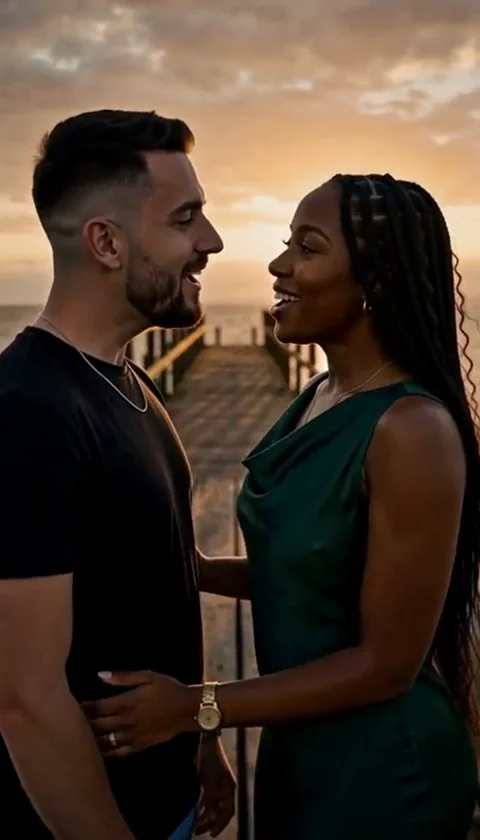
A duet tecktonik video puts two people into the same short clip, each dancing their own part of a prepared routine. It is the format behind the two-person trend posts, and it takes a little more preparation than a solo job — because two photos have to work together, not just each one on its own.
This guide covers what makes a duet different: how roles are set, how to pick two photos that match, who to dance with, and which ratio belongs on which feed.
Building a duet tecktonik video from two photos
The rule is the one people get wrong most often: a duet scene takes two separate photo files, with one adult in each. You do not upload a single group photo and expect the tool to slice it into two faces. The model needs a clean, unambiguous image for each role, and a photo containing two people gives it neither.
So the practical steps are:
- Take one photo of each person, on their own.
- Prepare each one against the same standard — sharp, front-lit, facing the camera.
- Upload them as two separate files into the two appearance slots.
If you only have a group photo of the two people together, the fix is not clever cropping in most cases; it is asking each person for a solo shot. The photo guide covers what a good single-person image looks like.
How roles are assigned
Duet scenes have fixed roles, and which is which depends on the scene. Two patterns show up:
- Spatial roles, such as left performer and right performer. Slot one goes to the left, slot two to the right, and the two people mirror or answer each other across the frame.
- Functional roles, such as the leading performer and the performer being turned. Here the roles are about who drives the movement and who responds, rather than where they stand.
The scene card tells you what the roles are before you commit. Read it before you decide which photo goes in which slot, because swapping the two faces changes the whole clip. If a scene has one performer leading and one responding, the person with the more expressive photo usually belongs in the leading role, and the calmer shot goes to the other.
Matching the two photos
Two good photos can still make a bad duet if they do not match. The model is placing both faces into the same lighting and the same camera move, so mismatched inputs are visible as soon as the clip plays.
| Match this | Why it matters |
|---|---|
| Similar lighting | One dim face beside one bright face reads as an error |
| Similar crop and scale | A close-up next to a wide shot makes one head look wrong-sized |
| Both facing the camera | One turning away breaks the pair |
| Similar sharpness | A blurred face next to a sharp one pulls attention |
Aim for "taken in the same conditions by the same person on the same day" even when that is not literally true. If one is a sunny outdoor portrait and the other is a dim indoor shot, one of the two people will look out of place in the result.
Clothing is a separate decision, and it is where the appearance mode matters. The comparison of the two appearance modes shows how each one treats the outfit.
Appearance modes in a duet
The two appearance slots can use different modes. That means one performer can keep the scene's original outfit while the other brings their own clothing. It is a small detail with a large effect:
- Both on Face & hair → both performers wear the scene's styling, so the pair looks unified and only the faces and hair differ.
- Both on Whole appearance → both keep their own clothes, which only works if both photos show the outfit clearly.
- Mixed → one in scene styling, one in their own outfit. Use this when one person has a strong look and the other does not, or when you want to distinguish the two roles visually.
If you go for whole appearance on either side, that photo has to show the outfit down to at least the waist. A tight headshot cannot supply clothes.
Who to dance with, and getting consent
A duet needs a second adult who has agreed to appear. That is not a formality: the tool will not accept the job until the consent box is ticked, confirming that you may use the photos and that everyone shown is an adult. Send the second person the finished clip before you post it, and if they are uncomfortable, do not publish.
The privacy and consent guide covers the details, including how uploaded photos stay private and how result visibility works. For a duet the short version is: ask first, show them the result, and respect a no.
Choosing the shape: landscape versus portrait
Landscape trend scenes versus portrait duets
Duets exist in two shapes, and they belong on different feeds.
Landscape duets use the 131:90 ratio and power the two-person trend scenes, where both performers share a wide frame side by side. This shape suits a horizontal composition — a left performer and a right performer answering each other. On a vertical feed, a landscape clip is heavily cropped or letterboxed unless you plan for it.
Portrait duets come out at 4:7 or 24:43, the same portrait ratios as solo scenes. These suit functional duets, where one performer leads and the other responds, and they crop more gracefully into a vertical canvas.
Decide your destination feed before you pick the scene — the ratio is locked once you begin.
Comparing the three shapes
| Format | Photos needed | Typical ratio | Best for |
|---|---|---|---|
| Solo | 1 | 4:7 or 24:43 | A single performer, hooks and dance-only posts |
| Portrait duet | 2 | 4:7 or 24:43 | Leading / responding pairs, vertical feeds |
| Landscape duet | 2 | 131:90 | Left / right trend scenes, side-by-side framing |
Failure modes to watch for
- One blurred photo. The sharp performer will carry the clip and the soft one will look wrong beside them.
- One adult missing. A photo with no clearly visible adult face, or with more than one person, fails the rule.
- Mismatched exposure. A bright face next to a dark one reads as a mistake even if each photo looks fine alone.
- Wrong slot assignment. Left and right, or lead and responder, swapped makes the choreography look off.
- A group shot used as both. One image cannot serve two roles.
If a duet looks wrong, fix the photos before you touch the settings — mismatched inputs survive every other adjustment.
Frequently asked questions
Can I use one group photo for a duet?
No. A duet needs two separate files with one adult in each. A group photo does not get split into two faces.
How do I know which role goes in which slot?
The scene card names the roles — for example left and right, or leading and being turned. Read it before uploading, then place the more expressive photo in the leading or answering role you intend.
Can the two people wear different outfits?
Yes. You can set a different appearance mode per slot, which lets one performer stay in the scene's styling and the other appear in their own clothes. Whole appearance needs a photo that shows the outfit.
Do both photos have to be taken in the same place?
Ideally they are similar in lighting, crop, sharpness and angle. They do not have to be literally from the same session, but the closer they match, the more coherent the pair looks.
Does a duet cost more than a solo video?
No. A standard video costs 30 credits regardless of whether it is solo or a duet. Credit packs are on the pricing page, and the cost guide explains planning several jobs.
What if my duet looks mismatched?
Start with lighting and sharpness. If one face is dim or soft, replacing that photo fixes more than any setting will. The troubleshooting guide lists the checks in order.
Where to go next
Prepare both photos with the photo guide, confirm consent with the privacy and consent guide, then open the create page and preview a couple of two-person scenes. If you are still deciding whether you need a partner at all, the solo video guide shows how much simpler one photo is. The tool is independent, with no affiliation to any artist, label or social platform.